Snapsec WAS: Web Application Scanner
Securing web applications requires deep scanning that understands how the application works. Snapsec's Web Application Scanner (WAS) provides this by using automated discovery, crawling, and vulnerability detection to secure your web assets.
Here is a look at how Snapsec WAS helps security teams find and fix application vulnerabilities.
Dashboard Overview
The Dashboard is the central place for vulnerability management. It gives a clear view of your security status and highlights the most important issues.
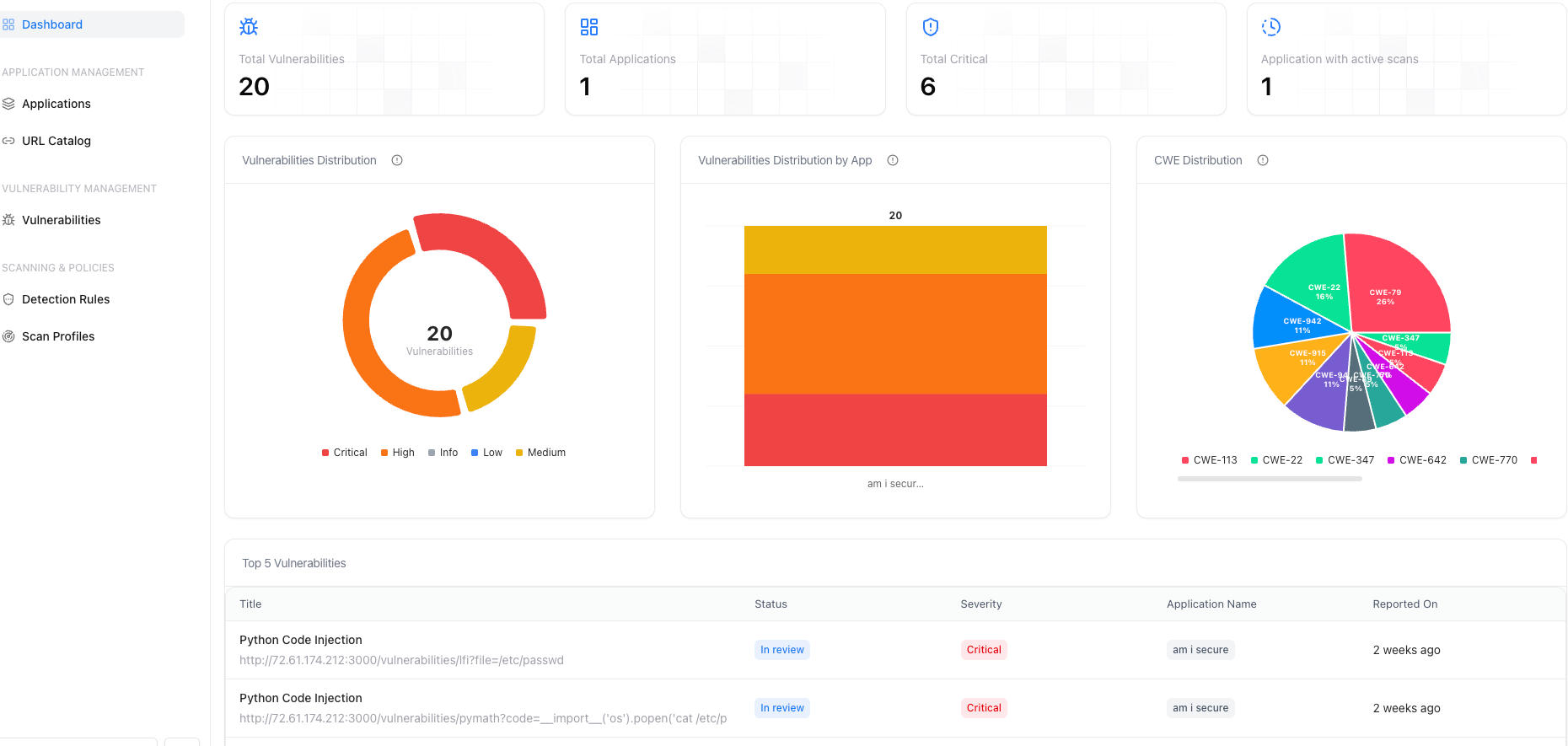
The Dashboard shows total vulnerabilities, active scans, and critical issues. It also includes:
- Vulnerability Distribution: A breakdown of vulnerabilities by severity (Critical, High, Medium, Low).
- CWE Distribution: The types of weaknesses in your applications, categorized by Common Weakness Enumeration (CWE).
- Top 5 Vulnerabilities: The most urgent security flaws found in your environment.
Application Management
Snapsec WAS organizes your security work around specific applications. This lets you create custom scanning policies for each one.
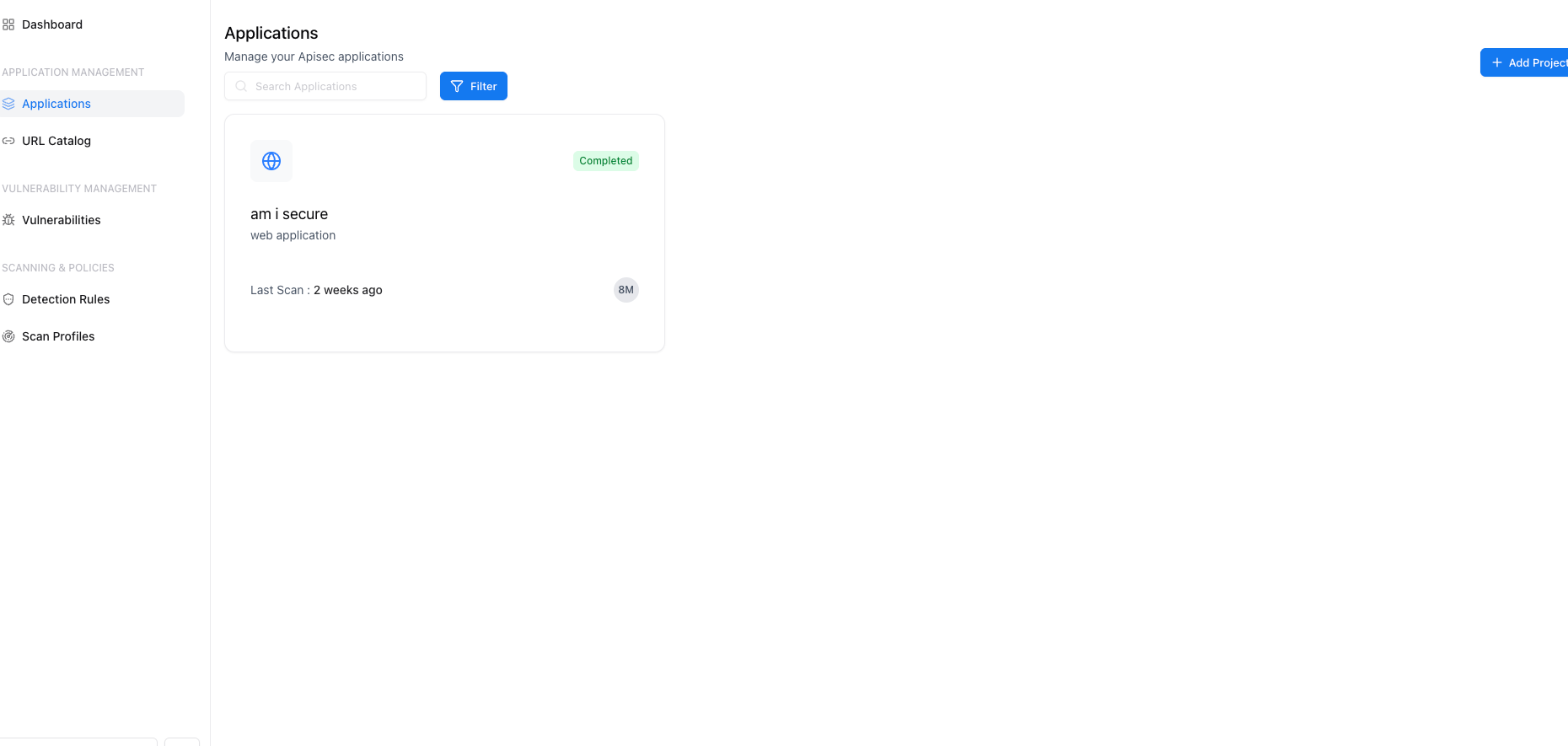
When you select an application, you see all the security data for that specific asset in one place.
Requests and URLs
A good application scanner needs to map out the application correctly.
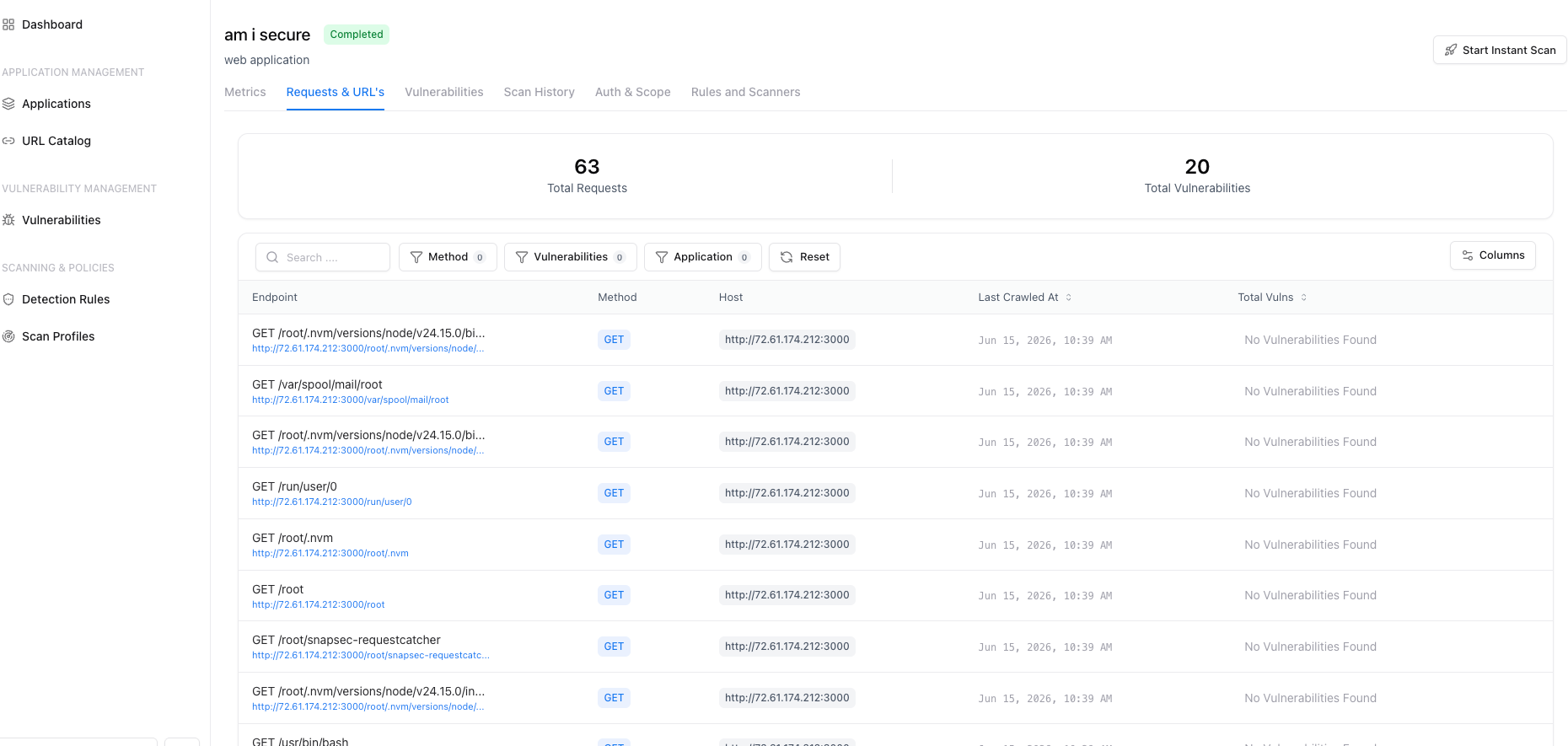
The Requests & URL's tab shows every endpoint the scanner found. Snapsec WAS maps the application's structure, the HTTP methods used, and the URLs crawled, making sure nothing is missed.
Vulnerability Detection
Snapsec WAS uses intelligent detection to find complex vulnerabilities that simple scanners often miss.
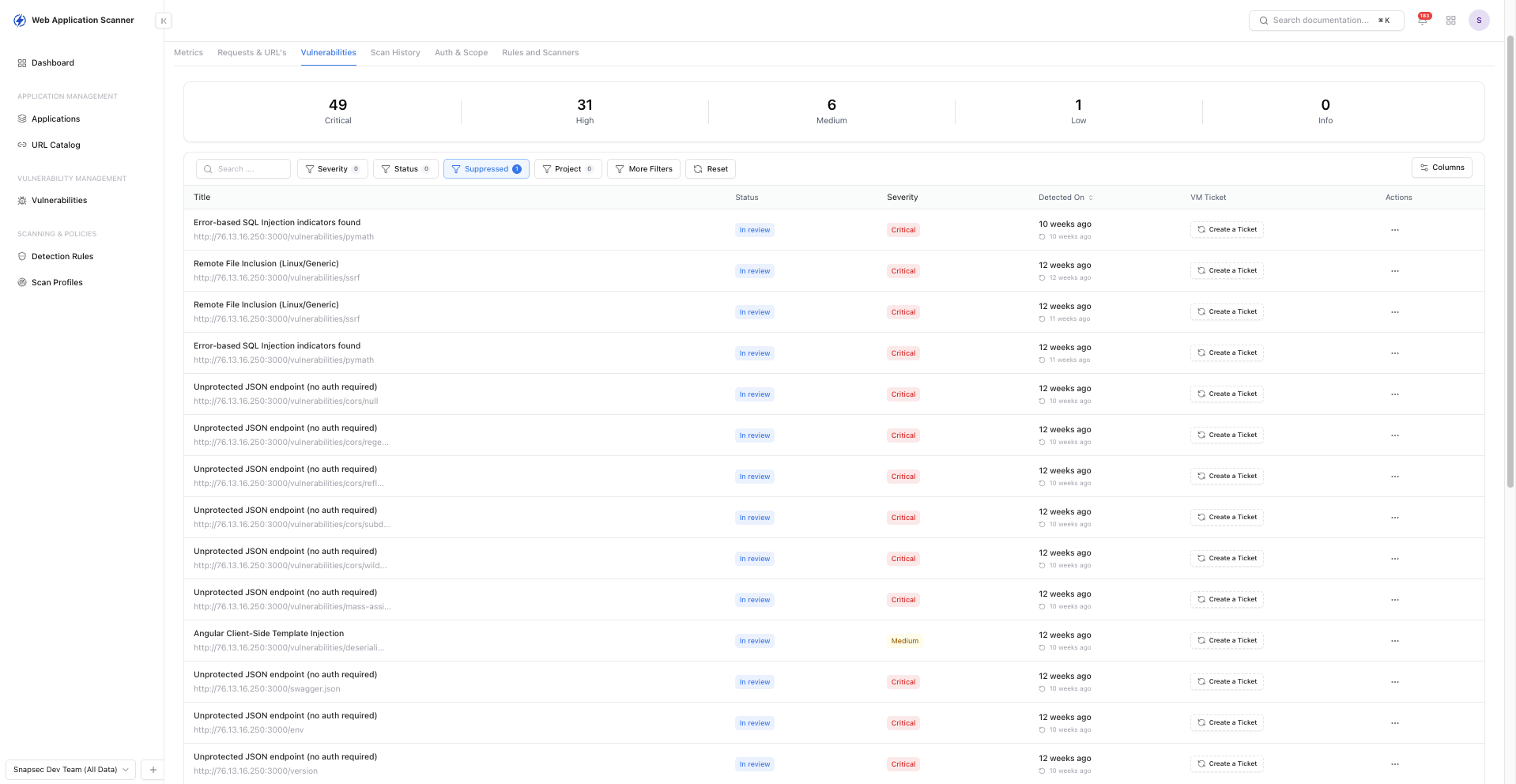
When viewing vulnerabilities for an application, WAS shows:
- Deep Coverage: It finds critical flaws like IAST, IDOR (Insecure Direct Object Reference), Privilege Escalation, and Rate Limiting issues.
- Actionable Insights: Each finding shows the affected endpoint, the severity level, and the review status.
- Automatic False Positive Reduction: WAS uses algorithms to automatically remove false positives, which saves time for security teams.
Rules and Scanners
Snapsec WAS gives you control over how your applications are tested.
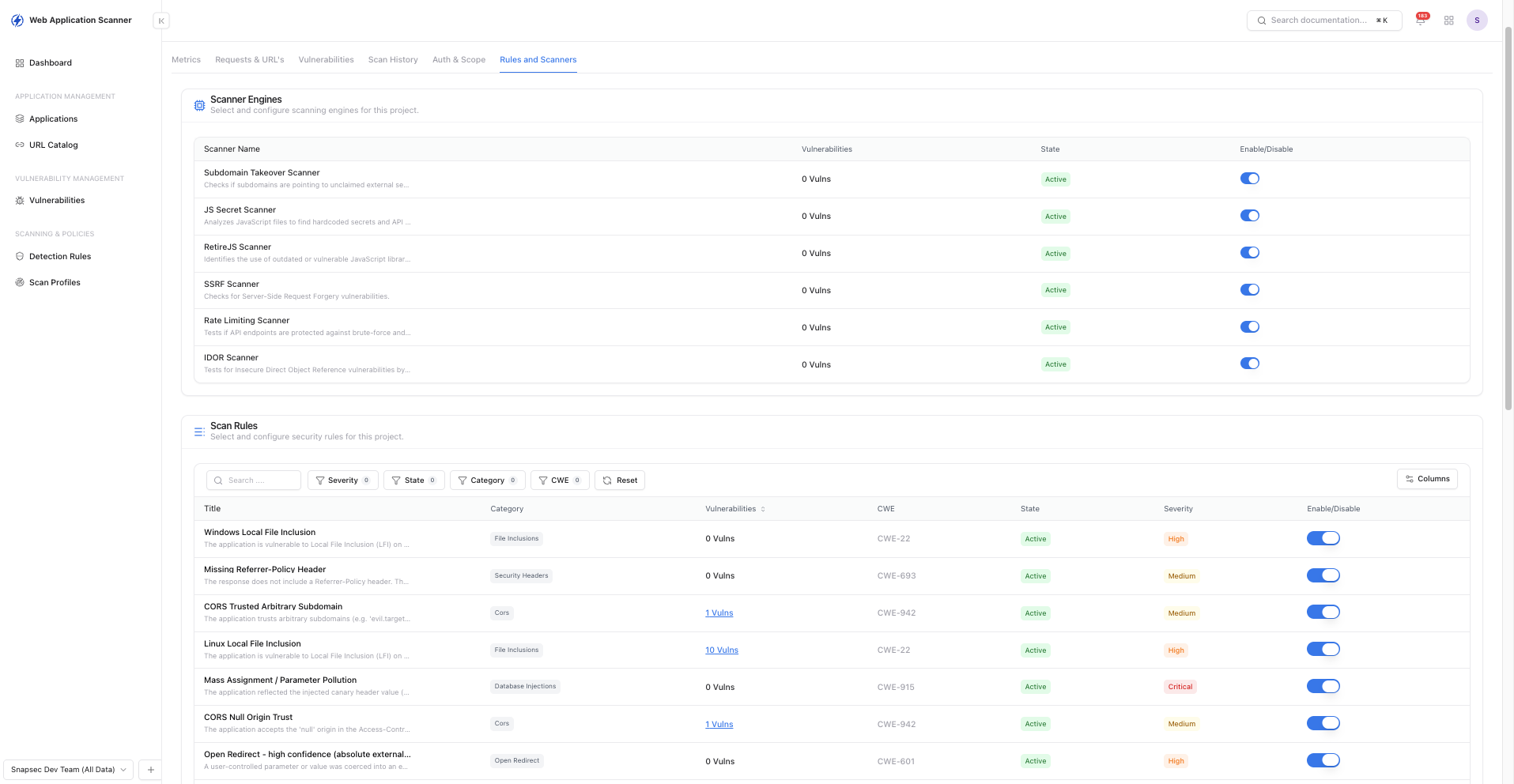
In the Rules and Scanners tab, you can choose exactly what to look for. WAS includes default rule sets that check for security matches in responses. If a rule matches, it records a vulnerability. You can also customize these rules for your specific application.
Authentication and Scope
Many web applications require login, and the scanner needs to handle this properly.
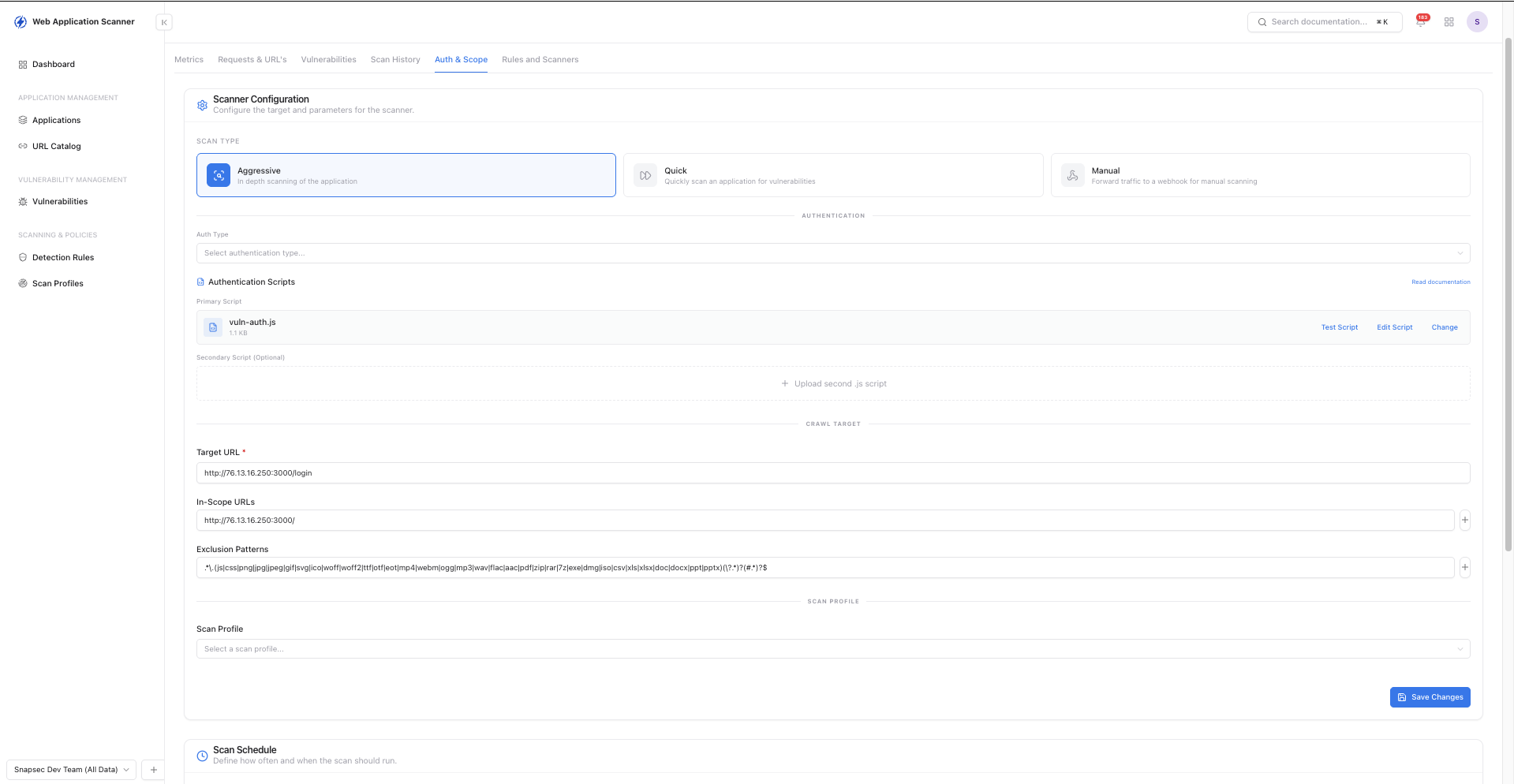
The Auth & Scope tab lets security teams configure how WAS interacts with the application:
- Automated Crawling: WAS can automatically navigate your application.
- Manual Authentication via Playwright: You can upload Playwright scripts for complex login flows.
- Browser Extension Integration: WAS can record authentication traffic through a browser extension and use those requests for authenticated testing.
With these features, Snapsec WAS provides a customizable vulnerability scanner that handles the complexities of modern web applications.