Spreadsheets Aren't an Asset Inventory: Meet Snapsec AIM
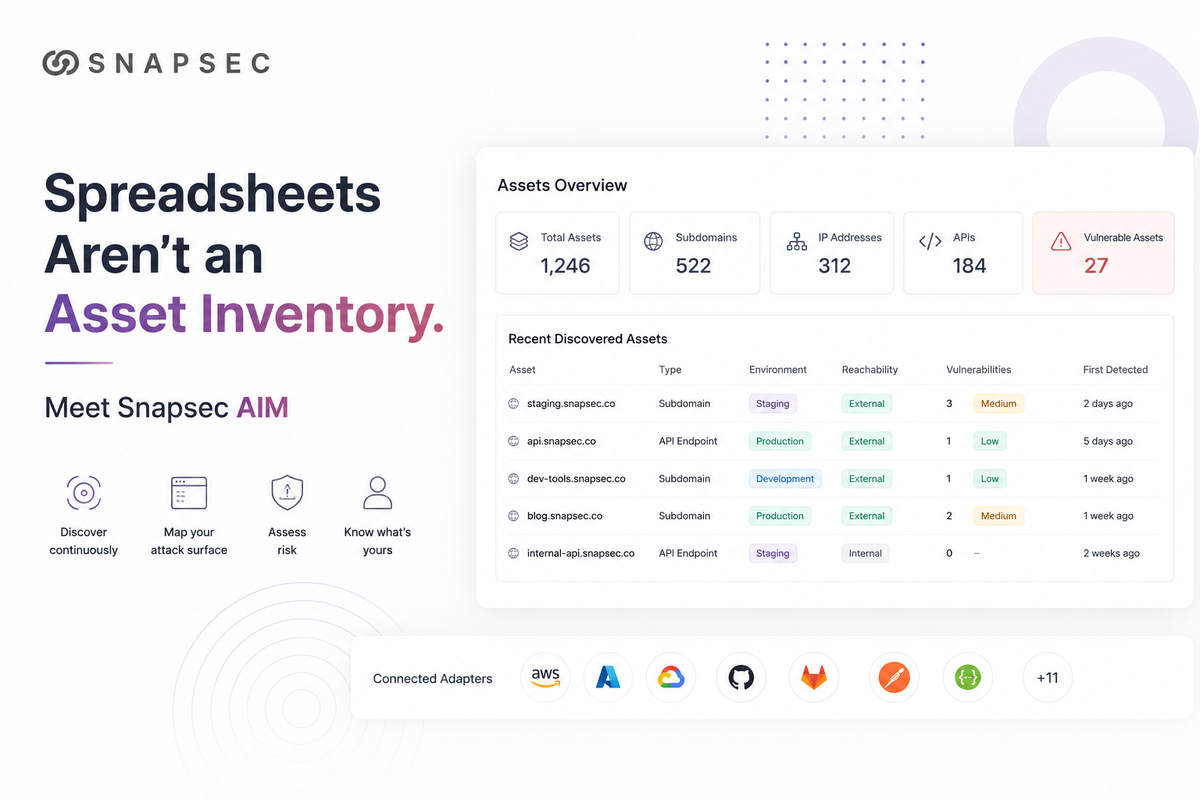
Nobody's infrastructure stands still anymore. A developer spins up a staging server for a demo. Another team ships a new microservice on Friday. Someone wires in a third-party API and moves on. None of this goes through security review — and honestly, it shouldn't have to. That's just how modern engineering works.
The problem is what gets left behind. Every one of those deploys leaves something facing the internet: a subdomain, an API endpoint, a forgotten test environment. And you can't patch a server you don't know exists. Most security teams aren't struggling because they're bad at fixing things — they're struggling because they don't have a complete picture of what they own.
A Centralized Asset Overview
Here's the awkward truth about most asset inventories: they don't live in one place. Part of the picture sits in your cloud console, part of it in GitHub, part of it in whatever DNS provider someone signed up for three years ago. Each source knows a slice of what you own — none of them knows all of it.
Snapsec AIM pulls those slices into one place and keeps them current. Instead of a snapshot that's stale by next sprint, you get a live view of everything your organization has facing the world, sorted and monitored around the clock.
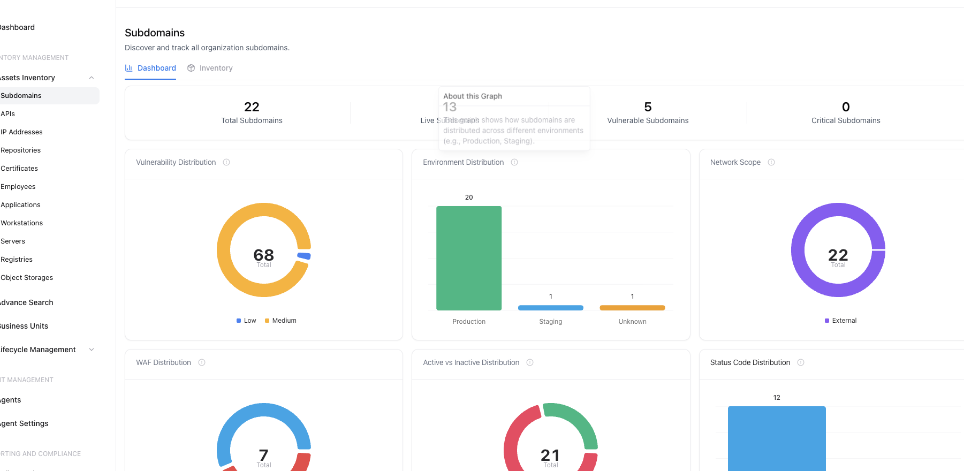
And the dashboard doesn't just count your assets — it tells you where to look first. Take the Subdomains view: at a glance, you can see how many subdomains exist across production, staging, and development, which ones are reachable from the outside, which sit behind a WAF and which don't, and which are carrying active vulnerabilities right now. That last part matters. Twenty-two subdomains is trivia; five vulnerable ones that are externally reachable is a to-do list.
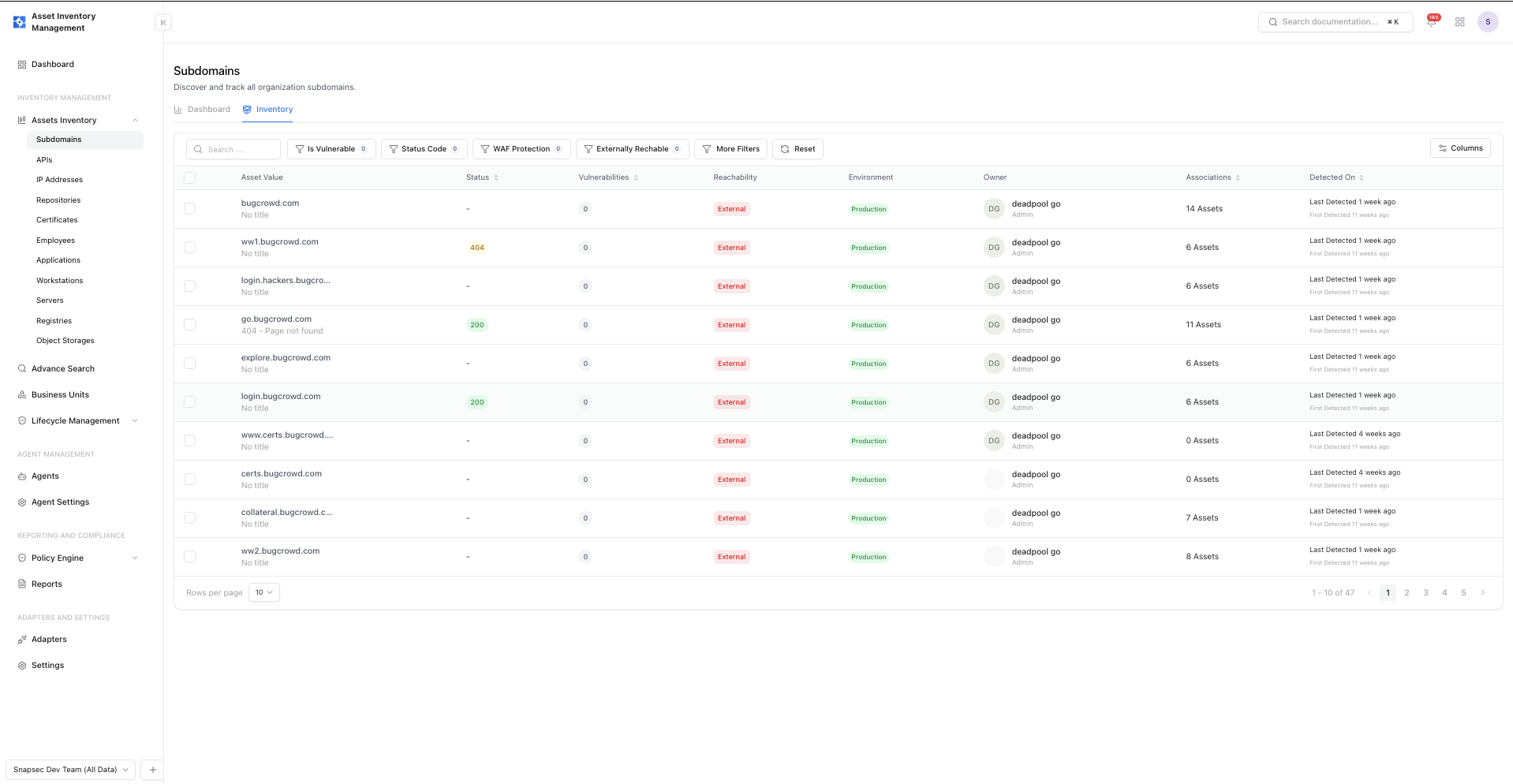
Drop down into the inventory itself and every subdomain becomes a row you can act on — its status code, reachability, environment, who owns it, and when it was first and last detected. That "first detected" column is quietly one of the most useful things here: when something new shows up under your domain, you'll know about it in days, not during your next annual audit.
Detailed Asset Information
A list of subdomains is just a phone book. The real question is: what do I need to know about this one, right now?
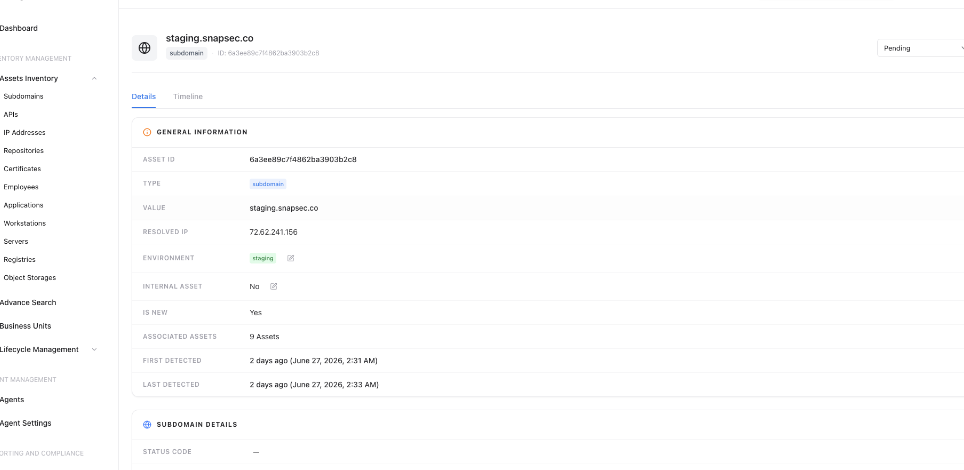
Click into any asset and AIM gives you its full story on one page. Take staging.snapsec.co: the IP it resolves to, its environment tag, the nine assets it's linked to — and the fact that it was first detected two days ago. That "Is New" flag is the difference between catching a forgotten staging box this week and finding it in a pentest report six months from now.
Identity, Ownership, and Vulnerabilities
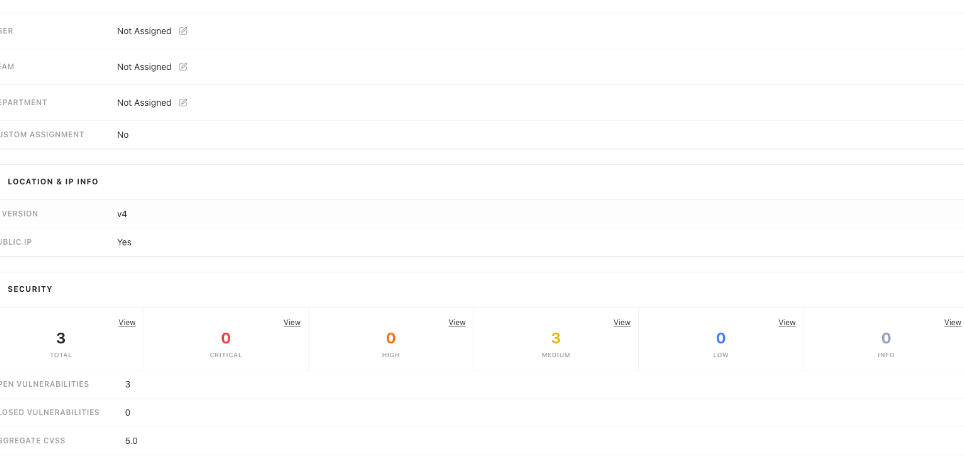
Every security team knows the ritual: something needs fixing, and forty minutes vanish into Slack figuring out whose it is. AIM attaches an owner — user, team, or department — directly to the asset, so fixes land on the right desk immediately.
And when a page shows "Not Assigned" three times in a row, that's not a gap in the product — that's the product showing you your blind spots. Unowned, internet-facing assets are exactly what rots quietly into an incident.
Because AIM plugs into Snapsec's Vulnerability Management suite, open findings appear right on the asset page — no tab-switching. Our staging subdomain: three open vulnerabilities, all medium, aggregate CVSS 5.0. Not a fire drill, but not something you'd want to find by accident.
Asset Graph and Certificates
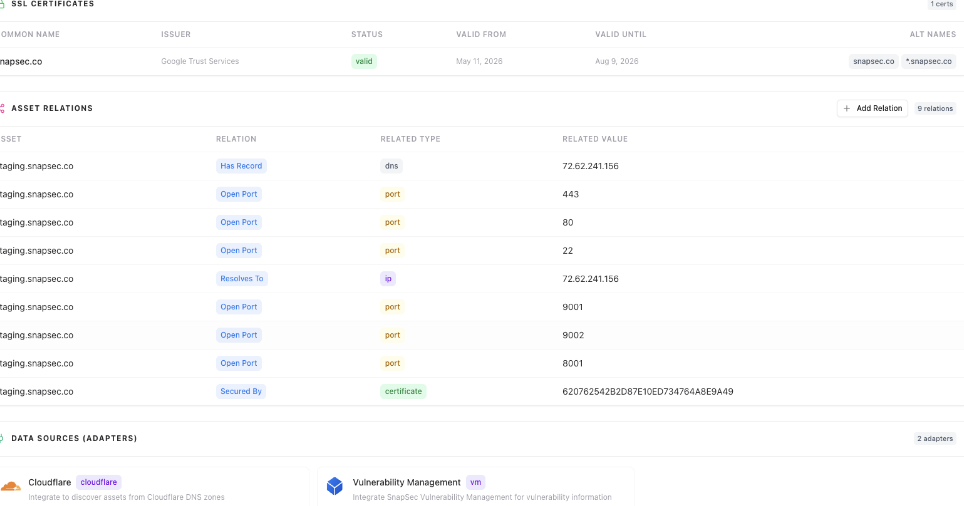
No asset exists alone — it resolves to an IP, listens on ports, sits behind a certificate. AIM stitches this into an "Asset Relations" graph showing how each asset touches your ecosystem.
For our staging subdomain: ports 443, 80, and 22 open — expected. But also 8001, 9001, and 9002. Nobody plans to leave a debug service listening on a staging box; it just happens, and stays invisible until something puts it in front of you.
The same view tracks SSL certificates and their expiry dates — the most preventable outage in existence, and one that still takes down production sites every week. Each relation also shows its data source (here, a Cloudflare adapter and the VM integration), so when someone asks "how do we know this?", the answer is on the page.
Discovery Through Adapters
So how does AIM actually find all of this? Not by blasting your network with scans. It uses Adapters — direct connections to the platforms where your assets already live.
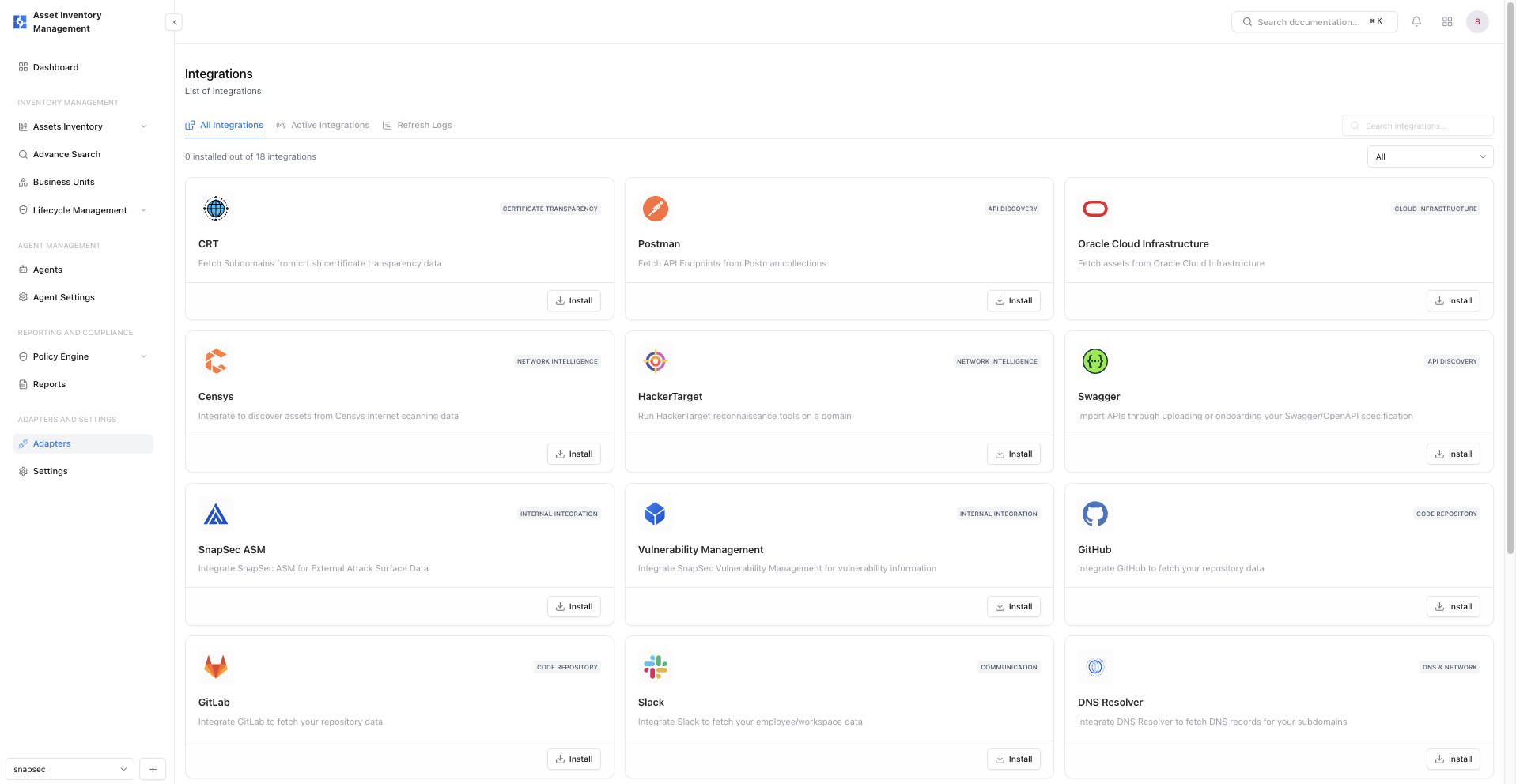
There are 18 of them today, and they cover the angles that matter:
- Network & threat intelligence: Censys, HackerTarget, and CRT surface subdomains and exposed infrastructure from internet-wide scan and certificate transparency data — the same sources attackers use for recon, working for you instead.
- Code & application security: GitHub and GitLab track your repositories; Postman and Swagger catalog your APIs straight from the collections and specs your teams already maintain.
- Cloud infrastructure: AWS, Azure, and Oracle Cloud connections mean a resource is in your inventory the moment it's spun up — not whenever the next scan happens to run.
Even Slack gets an adapter, pulling employee and workspace data so ownership mapping isn't a manual chore. The pattern across all of them is the same: go to the source of truth, don't guess from the outside..
Conclusion
You can't secure what you can't see — and for most teams, "what you can't see" is a longer list than they'd like to admit. Snapsec AIM shortens it to zero: every subdomain, API, repo, and cloud resource, discovered continuously, tied to an owner, with its vulnerabilities and certificates on the same page.
Spreadsheets go stale. Quarterly scans miss what shipped last Tuesday. Your attack surface deserves better than either.
See your entire attack surface
See your full asset inventory in minutes — start with Snapsec AIM
Explore Live Demo