How We Identified Multiple Issues in Zendesk
Another expedition at Snapsec led us to Zendesk as our next target. The platform aligned well with our testing criteria, as its scope was extensive, the application surface was large, and the security team had a strong reputation for engaging constructively with researchers. With minimal scope restrictions and a feature-rich environment, Zendesk presented an ideal opportunity for deep business logic testing. What followed was a comprehensive exploration of the platform, the key findings of which are documented in this blog.
What is Zendesk?
Zendesk is a comprehensive customer relationship and support management platform designed to help businesses handle sales, customer interactions, and operational workflows from a single interface. It provides a centralized system for managing customer data, tracking deals, and streamlining communication across multiple channels.
Key Functionalities
- Multi-channel customer support including email, mobile, social media, and voice
- Integration with websites for generating and managing support requests
- Built-in live chat system to engage and convert leads
- Data integration across multiple external platforms
- Call center capabilities for personalized customer interaction
- Role-based access control with customizable user permissions
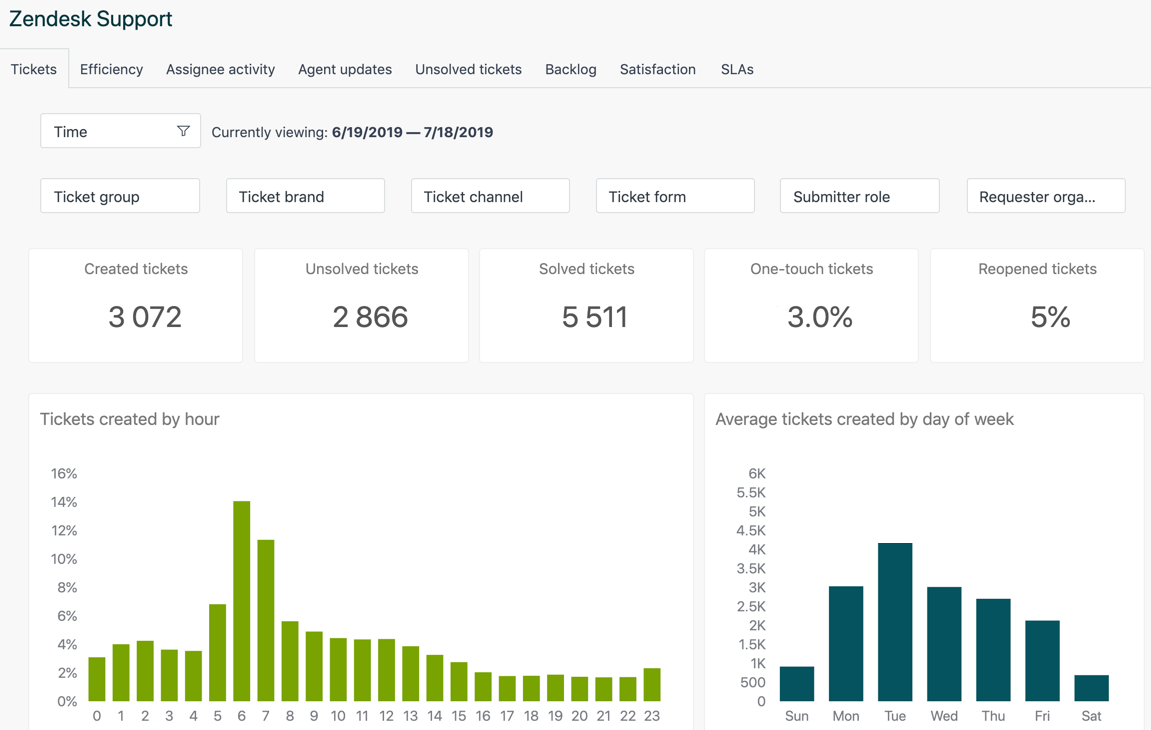
- Advanced reporting and analytics for business insights
Zendesk offers a wide range of business-focused services, including sales management, marketplace integrations, and customer engagement tools. The scale and complexity of the platform make it a compelling target for security testing, particularly from a business logic and access control perspective.
As with any structured testing approach, we began by studying the platform in depth, exploring documentation, tutorials, and real-world usage to understand how it is intended to function before attempting to identify potential weaknesses.
Our Methodology Simplified
We follow a structured methodology when approaching any target. Our process focuses on understanding the application from both a functional and technical perspective before attempting to identify and exploit potential weaknesses.
1. Understanding the Purpose of the Application
The first step is to clearly define the purpose of the application. For Zendesk, this involves understanding how businesses manage sales workflows, customer interactions, and operational processes. We interact with the platform as regular users to simulate real-world usage.
2. Logical Analysis of Features
Next, we break down the application into individual components and study how each feature behaves. In Zendesk, this includes analyzing entities such as leads, contacts, deals, comments, and collaboration workflows, along with how they transition across different stages.
3. Technical Analysis
At this stage, we analyze how the application functions at a technical level. This includes inspecting API calls, understanding data exposure, evaluating access control mechanisms, and identifying technologies in use (such as authorization models, data formats, or third-party integrations).
4. Assumption Building
Based on our understanding, we formulate hypotheses around potential weaknesses. For example:
- Can restricted resources be accessed through direct API calls?
- Can private data be modified through crafted requests?
- Are there inconsistencies in access control enforcement?
All assumptions are documented to ensure systematic testing.
5. Exploitation and Validation
Finally, we test our assumptions by attempting to trigger unintended behavior in the application. This includes exploiting business logic flaws, bypassing access controls, and validating whether unauthorized actions, such as modifying data or accessing restricted information, are possible.
Bypassing CSRF using Cache Deception Attack
Cache deception attack is often caused by a non-standard server-side setting overriding recommended cache-control directives. Due to the cache misconfiguration, an attacker may send a specially crafted link to users, which will result in the leak of sensitive data. In this case, we were able to bypass CSRF protection by leveraging the cache deception attack.
The key component of the attack is "path confusion," which involves altering URL routes to trick the cache server into identifying private HTTP answers as publicly cacheable documents.
For example in Zendesk the URL https://developer.zendesk.com/account refers to content containing sensitive data that should not be cached. The attacker tricks the target user into making a request to https://developer.zendesk.com/account/<Anything>.css causing the server to respond with sensitive information specific to the victim.
The proxy, on the other hand, interprets the request as https://developer.zendesk.com/account/anything>.css as being a request for a non-existent-cacheable ‘.css' file, which in turn causes the sensitive content to be stored in the cache and accessible by others.
Which means an attacker can trick the victim into visiting https://developer.zendesk.com/account/<anything>.css and later visiting the same url to get the cached response of the page which contains the name, email, and CSRF token of the victim. Later, the CSRF TOKEN can be used to perform an application-wide CSRF attack.
Here is a quick Video POC for the vulnerability:
Adding and removing tags from restricted contacts,deals and leads
Zendesk Sell is a CRM platform designed to help sales teams manage contacts, leads, and deals across different stages of the sales lifecycle. A key feature within this workflow is the use of tags, which allow users to organize and categorize data efficiently.
Under the intended access control model, users should only have read and write access to tags that they own or are authorized to manage.
Vulnerability
During testing, we identified a vulnerable API endpoint that allowed unauthorized users to manipulate tags associated with contacts, leads, and deals belonging to other users.
Exploitation
The following endpoints were used to interact with tags:
Adding tags:
POST /apis/tags/api/v1/taggings/batch_add.json

{"tagid":"3","dealid":"231"}
Removing tags:
POST /apis/tags/api/v1/taggings/batch_untag.json

{"tagid":"2"}
By modifying request parameters, we were able to add or remove tags on resources owned by other users without proper authorization.
Impact
This is a broken access control vulnerability that allows unauthorized manipulation of organizational data. An attacker could alter or remove tags, disrupting data organization, reporting, and decision-making, ultimately compromising system integrity.
Changing Documents on contacts after admin revokes our access to contacts
Zendesk allows administrators to assign users limited roles with controlled access to contacts, leads, and deals. These users can perform actions such as viewing, updating, and attaching documents to resources they own.
Administrators also have the ability to revoke access or ownership of these resources. Once access is revoked, the user is expected to lose all permissions associated with those contacts, including the ability to modify attached documents.
Vulnerability
During testing, we identified that even after an admin revoked a user's access to specific contacts, the user was still able to modify documents associated with those contacts.
Exploitation
We discovered a vulnerable endpoint that allowed continued interaction with uploaded documents:
PUT /apis/uploader/api/v2/uploads/<upload_id>.jsonBy leveraging this endpoint, we were able to modify document names, change file extensions, and update metadata, even after losing access to the associated contact.
Impact
This is a post-authorization access control bypass, where revoked users retain unintended access. An attacker could tamper with documents and compromise data integrity, undermining administrative control over permissions.
Privilege escalations leading to add/remove appointments on restricted contacts.
Zendesk implements role-based access control to restrict user actions based on assigned permissions. One such role is a limited permission user, who is restricted from creating contacts or managing appointments.
However, during testing, we identified a broken access control vulnerability that allowed a limited user to bypass these restrictions via direct API interaction.
Vulnerability
Although the frontend correctly restricted appointment-related actions, the backend failed to enforce proper authorization checks. This allowed a limited user to create and delete appointments on contacts they were not permitted to manage.
Exploitation
We identified the following API endpoint for creating appointments:
POST /apis/appointments/api/v1/appointments.json HTTP/1.1
Host: app.futuresimple.com
Connection: close
Content-Length: 255
x-interaction-id: 3c4eee5f-bda4-4581-bd8d-1e54aeb2ac01
Origin: https://app.futuresimple.com
x-parent-operation-id: 3c4eee5f-bda4-4581-bd8d-1e54aeb2ac01
User-Agent: Mozilla/5.0 (X11; Linux x86_64) AppleWebKit/537.36 (KHTML, like Gecko) Chrome/73.0.3683.103 Safari/537.36
x-csrf-token-generated-at: 1597815645
Content-Type: application/json
Accept: application/json, text/javascript, */*; q=0.01
X-Requested-With: XMLHttpRequest
x-csrf-token-signature: <VALUE>
Referer: https://app.futuresimple.com/crm/contacts/288149956
Accept-Encoding: gzip, deflate
Accept-Language: en-US,en;q=0.9
Cookie: <VALUE>

{"appointment":{"contact_id":"<contact id>","start_at":"2020-08-17T00:00:00.000Z","end_at":"2020-08-17T23:59:59.999Z","is_public":false,"send_updates":true,"name":"New Appointment on Sunda","location":"New York","description":"","all_day":true}
By supplying a valid contact_id, a limited user was able to create appointments on arbitrary contacts.
We also identified the following endpoint for deleting appointments:
DELETE /apis/appointments/api/v1/appointments/<<apppointment id>>.json HTTP/1.1
Host: app.futuresimple.com
Connection: close
Content-Length: 12
x-interaction-id: 91a95d78-f953-4303-f70c-f36f8f3c222c
Origin: https://app.futuresimple.com
x-parent-operation-id: 91a95d78-f953-4303-f70c-f36f8f3c222c
User-Agent: Mozilla/5.0 (X11; Linux x86_64) AppleWebKit/537.36 (KHTML, like Gecko) Chrome/73.0.3683.103 Safari/537.36
x-csrf-token-generated-at: 1597816624
Content-Type: application/x-www-form-urlencoded; charset=UTF-8
Accept: application/json, text/javascript, */*; q=0.01
X-Requested-With: XMLHttpRequest
x-csrf-token-signature: <VALUE>
Referer: https://app.futuresimple.com/crm/contacts/288149956
Accept-Encoding: gzip, deflate
Accept-Language: en-US,en;q=0.9
Cookie: <VALUE>
platform=web
By modifying the appointment_id, the user was able to delete any appointment within the system.
Impact
This vulnerability results in a privilege escalation due to broken access control. An attacker could create or delete appointments across the organization, directly impacting the integrity and availability of scheduling data
Exposing Restricted Documents on Private Contacts.
Zendesk enforces role-based permissions to restrict users from accessing private contacts and their associated documents. In this case, limited permission users were not allowed to view contacts or documents owned by administrators. However, during testing, we discovered that it was possible to access documents associated with private admin contacts without having the required permissions
Exploitation
While analyzing the document handling workflow, we identified that an HTTP request was responsible for retrieving contact-related data. Although limited users were unable to directly upload or interact with documents on private contacts, we modified the request by appending a valid contact_id to the API path.
This resulted in a JSON response containing details of the contact, which unintentionally exposed public S3 URLs linked to documents associated with admin-owned private contacts. By accessing these URLs, we were able to retrieve sensitive documents without any authorization.
Impact
This vulnerability leads to sensitive data exposure due to improper access control enforcement. An attacker could access confidential documents such as sales scripts and internal files, resulting in a breach of data confidentiality and unauthorized information disclosure
Unauthorized Access to Sales Pipelines
A sales pipeline is a visual illustration of how customers move through the [sales process] stages, from prospecting for leads to making the final sale. It provides valuable insights into each deal, allowing your agents to track their progress, identify any gaps in their process, and form strategies to hit their sales targets.
The admin of the account creates a pipeline and keeps it personal to him without giving any access to the invited user to those pipelines. Admin can move his deals to this pipeline as he controls the ownership of this pipeline. But we analysed the following vulnerable request through which we were able to accomplish the task of adding our own deals to admin's pipeline .
- Moving deals into admin's sales pipeline
PUT /apis/sales/api/v1/deals/<deal-id>.json HTTP/1.1

{"pipeline_stage_id":}
So, here due to broken access control on this endpoint we were able to gain an unauthorised access on admin's pipeline allowing us to move our deals into admin's pipeline.
Unauthorized User Able to Create Loss Reasons
When a deal is lost, it is moved into the Lost stage of the sales pipeline. To gain additional information about why this happened, admin can prompt the Sell users to provide a reason for why the deal was lost. This prompt is enabled by a user with admin rights. Admin users can also edit and add other loss reasons. But we were able to accomplish the task of creating loss reasons inside the organisation via the following API path with broken access control.
- Creating a loss reason
POST /apis/sales/api/v1/loss_reasons.json HTTP/1.1

{"loss_reason":{"name":"My reason"}}
Conclusion
The identified issues primarily stem from broken access control and insufficient server-side authorization checks. Multiple API endpoints failed to enforce proper permissions, allowing unauthorized actions such as data manipulation, privilege escalation, and exposure of sensitive information. These findings highlight a critical gap between frontend restrictions and backend enforcement, reinforcing the need for strict authorization validation at the API level.
About us
Snapsec is a security research-driven team focused on identifying business logic flaws and access control weaknesses in modern applications. We approach systems from an attacker’s perspective, understanding how features are designed to work, and more importantly, how they can be misused in real-world scenarios. Instead of relying solely on traditional testing, we dig into application workflows to uncover vulnerabilities that arise from gaps in logic and authorization.
Our goal is to help organizations identify and fix issues that directly impact the integrity, confidentiality, and reliability of their systems.