Key takeaways
- Most of the work after a pentest is repetitive: recording, routing, ticketing and chasing findings. That’s what automation should take over.
- Rule-based automation and AI-assisted analysis are different tools. Use rules for predictable steps and analysis to support decisions.
- Every rule needs clear conditions, one action and a defined trigger.
- Check what a rule matches before you rely on it, and review rules when teams or assessments change.
- Start with about five rules covering the tasks your team repeats every day.
When a pentest report arrives, the testing is over, but the handling has barely started. Every finding has to be recorded, checked against what’s already known, assigned to someone who can fix it, ticketed for the engineering team, and followed until it’s retested. Add the output from infrastructure scanners, code analysis and container scanning, and a security team can easily spend more time moving findings around than getting them fixed.
That is where automation helps. Not by making security decisions, but by removing the manual steps between a finding being reported and someone starting work on it.
What’s worth automating
The simplest way to decide is to ask whether a task needs judgment or just consistency.
Routing findings from a specific assessment to the right team, creating tickets for critical issues, alerting the security channel, and importing results from scanners all need consistency. The same input should always produce the same result, and doing them by hand only adds delay and mistakes.
Deciding whether to accept a risk, settling a disagreement about severity, or confirming that a finding is a false positive all need judgment. They depend on context about the business, the environment and the finding itself. Those should stay with people. Automation can prepare them, by gathering evidence or suggesting an answer, but the decision should be made by someone accountable for it.
Rules and AI are not the same thing
It’s worth separating two kinds of automation, because they behave differently.
Rule-based automation is deterministic. If a finding comes from the mobile app pentest, assign it to the mobile team lead. If its severity is critical, send it to Jira. The same conditions always lead to the same action, which makes these rules easy to test and easy to trust.
AI-assisted analysis is different. False positive analysis, for example, reads a finding and its evidence and suggests whether the issue is real, with a confidence level and an explanation. That output is a recommendation, not a fact, and it should be reviewed before anything is closed.
Most of the time saved comes from the first kind. The second is useful for the parts of triage that are slow and repetitive but still need a person to sign off.
Getting findings in without manual work
Pentest findings and scanner results usually arrive in different formats, from different places. If each is entered by hand, intake becomes a job of its own, and duplicates or missed findings are almost guaranteed.
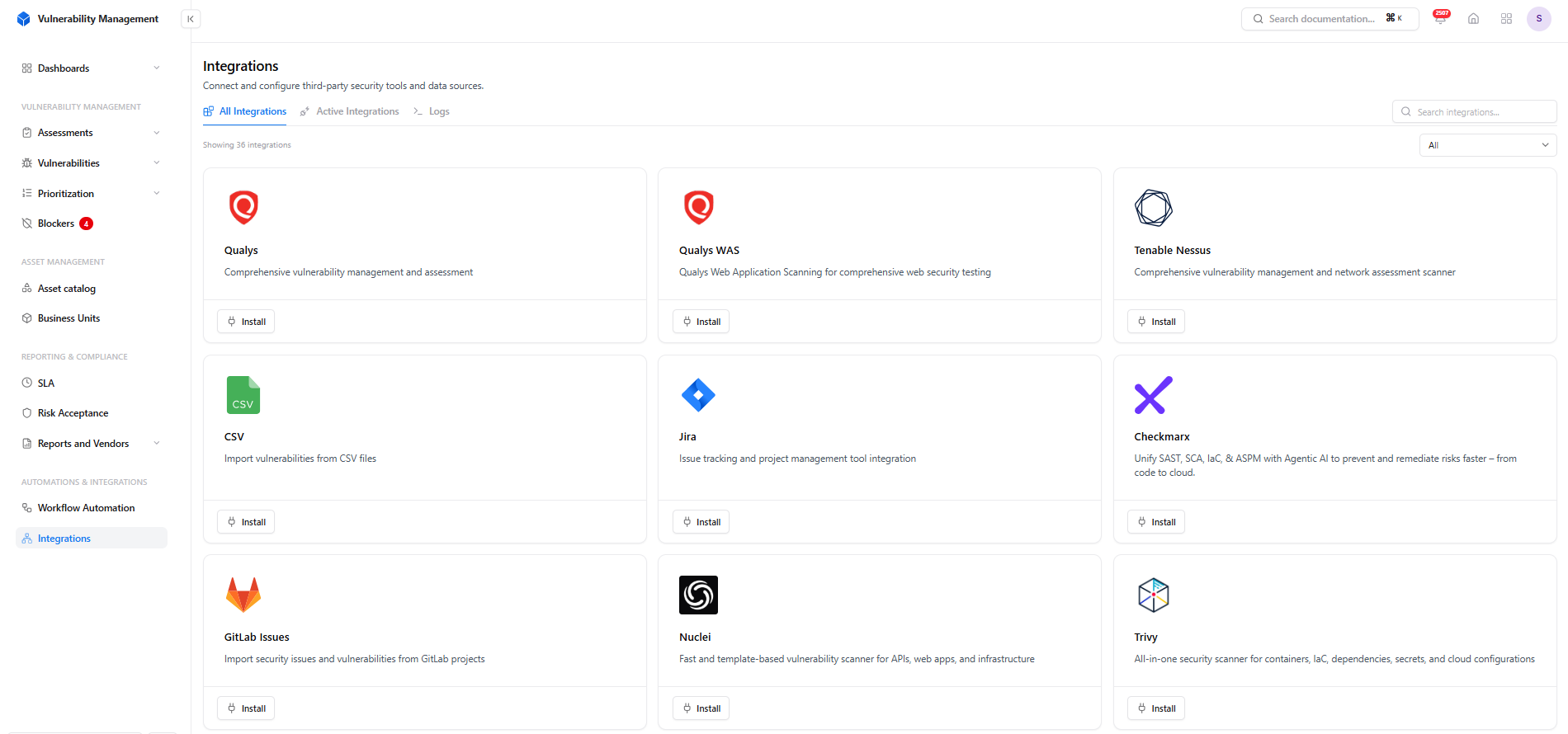
Scanners, code analysis tools and issue trackers connected to one vulnerability workflow.
Snapsec VM connects to the tools that produce findings, each covering a different part of the attack surface: Tenable Nessus and Qualys for infrastructure, Qualys WAS for web applications, Checkmarx for code, Trivy for containers, dependencies and infrastructure as code, and Nuclei for template-based scanning. GitLab Issues can import security issues from repositories, and Jira handles ticketing on the engineering side. Pentest findings can be added directly or imported from CSV. Once everything arrives in one place, the same rules can apply to all of it.
How a rule is built
A rule has three parts:
- Conditions decide which findings it applies to, such as findings from a particular assessment, or findings with a severity of critical or high.
- An action decides what happens to them, such as changing the assignee, sending them to Jira, adjusting the CVSS score or raising an alert.
- A trigger decides when it runs: when a finding is created or updated, or on a schedule.
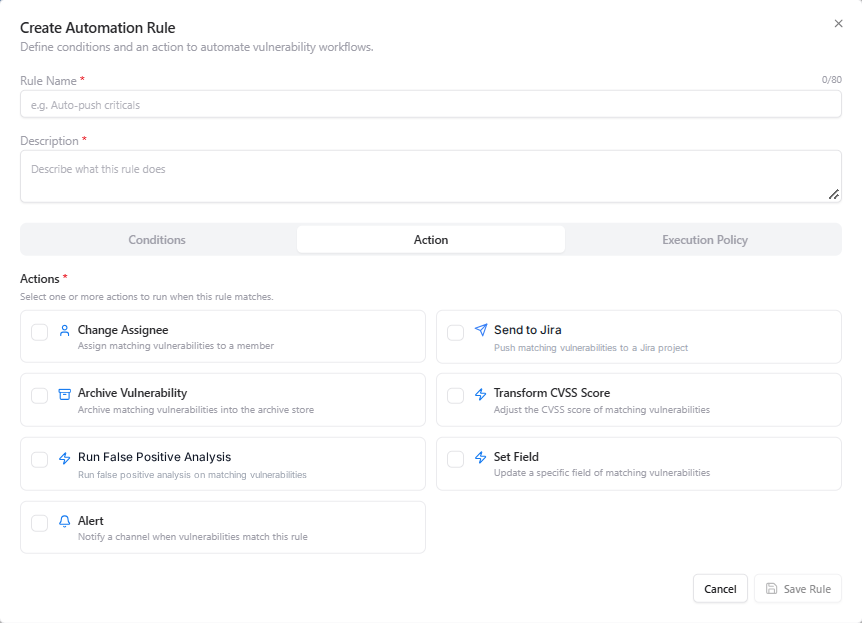
The actions a rule can take when its conditions match.
In Snapsec VM, conditions compare fields such as title, severity, CVSS score, state, assignee and assessment, using operators like equals, contains, in and not in. They can be combined with AND, OR and NOT. The available actions are changing the assignee, sending to Jira, archiving, transforming the CVSS score, running false positive analysis, setting a field, and sending an alert.
Keep each rule narrow. A rule that does one thing to a clearly defined set of findings is easier to check, and much easier to fix when something changes.
Example: one pentest finding, start to finish
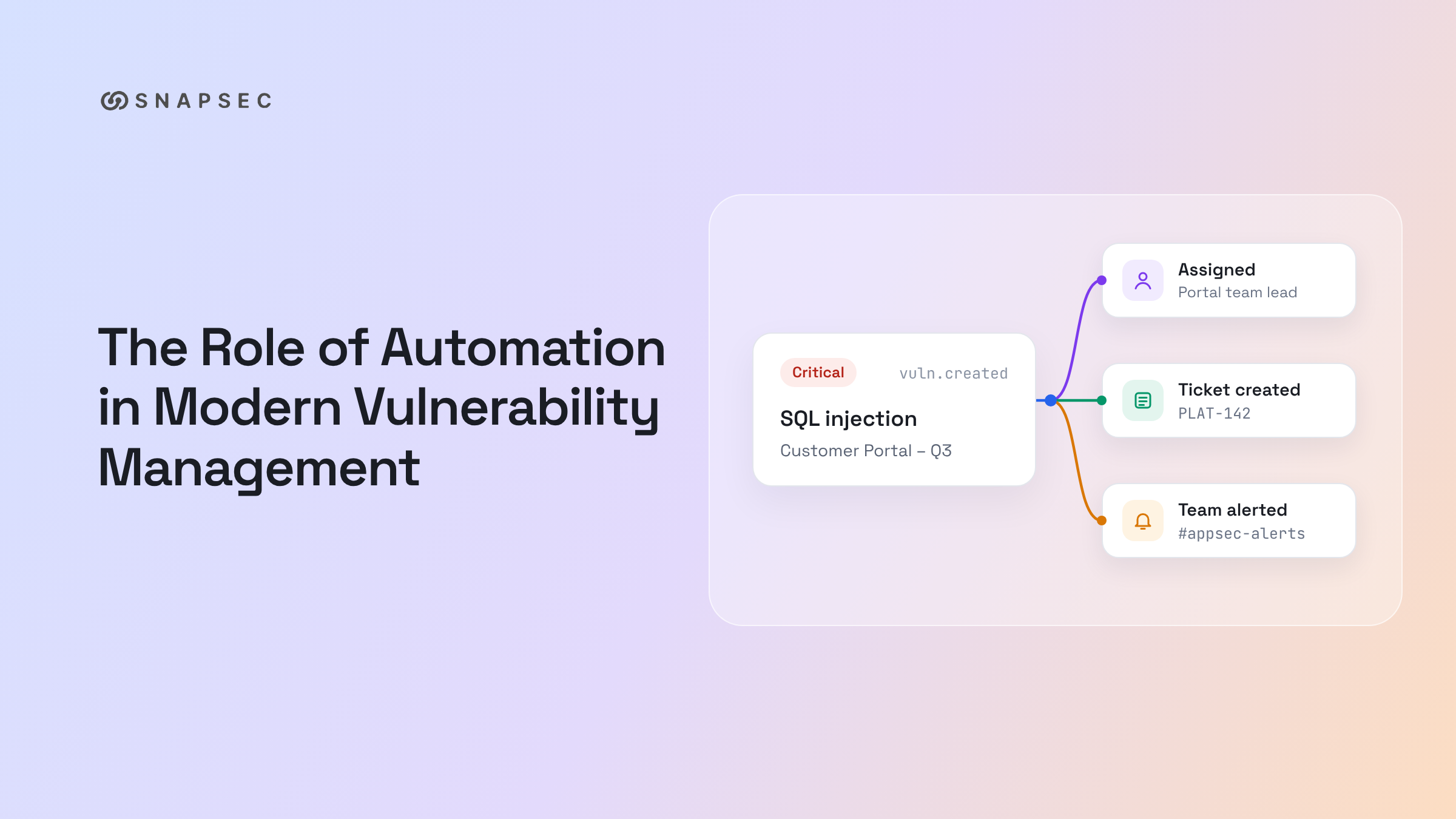
A web application pentest reports a critical SQL injection in the customer portal. The finding is added to the “Customer Portal – Q3” assessment. From there, three rules take over:
- A routing rule matches the assessment name and assigns the finding to the portal team lead.
- A ticketing rule matches the critical severity and sends the finding to the portal team’s Jira project, so it enters their sprint planning like any other work.
- An alert rule notifies the security channel that a new critical finding has been reported.
At the same time, a scanner import from the same week brings in forty low-severity findings for the same application. A screening rule runs false positive analysis on each of them. Most are confirmed as real and routed by the same assignment rule. A handful are flagged as likely false positives, with an explanation for each, and wait in the review queue for someone on the security team to approve or reject.
Nobody on the security team had to touch the critical finding before the owner, the engineering backlog and the security channel all knew about it. Their time went on the five findings that actually needed a decision.
Reviewing what the analysis suggests
For false positive analysis, the explanation matters more than the confidence score. The score tells you how sure the analysis is. The explanation tells you why, and that’s what a reviewer needs in order to agree or disagree.
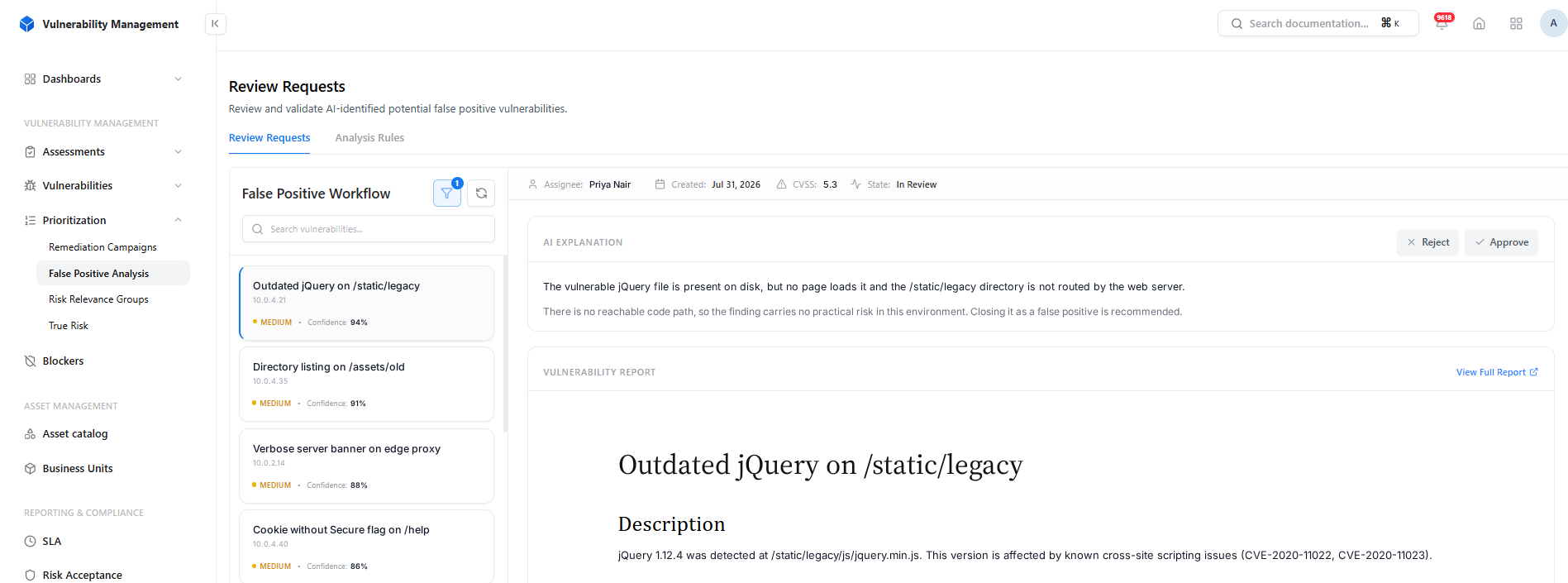
A suggested verdict with its confidence and reasoning, approved or rejected by a reviewer.
In the example above, the vulnerable jQuery file is present on the server, but no page loads it and its directory isn’t served. A reviewer can check that claim in a minute and approve it, or reject it if the explanation doesn’t hold up. The finding is only closed after that decision.
Keeping an eye on the rules
Rules can go wrong quietly. A condition that’s slightly too broad can route hundreds of findings to one person, and a rule written for a team that has since been reorganized can keep assigning work to someone who has left.
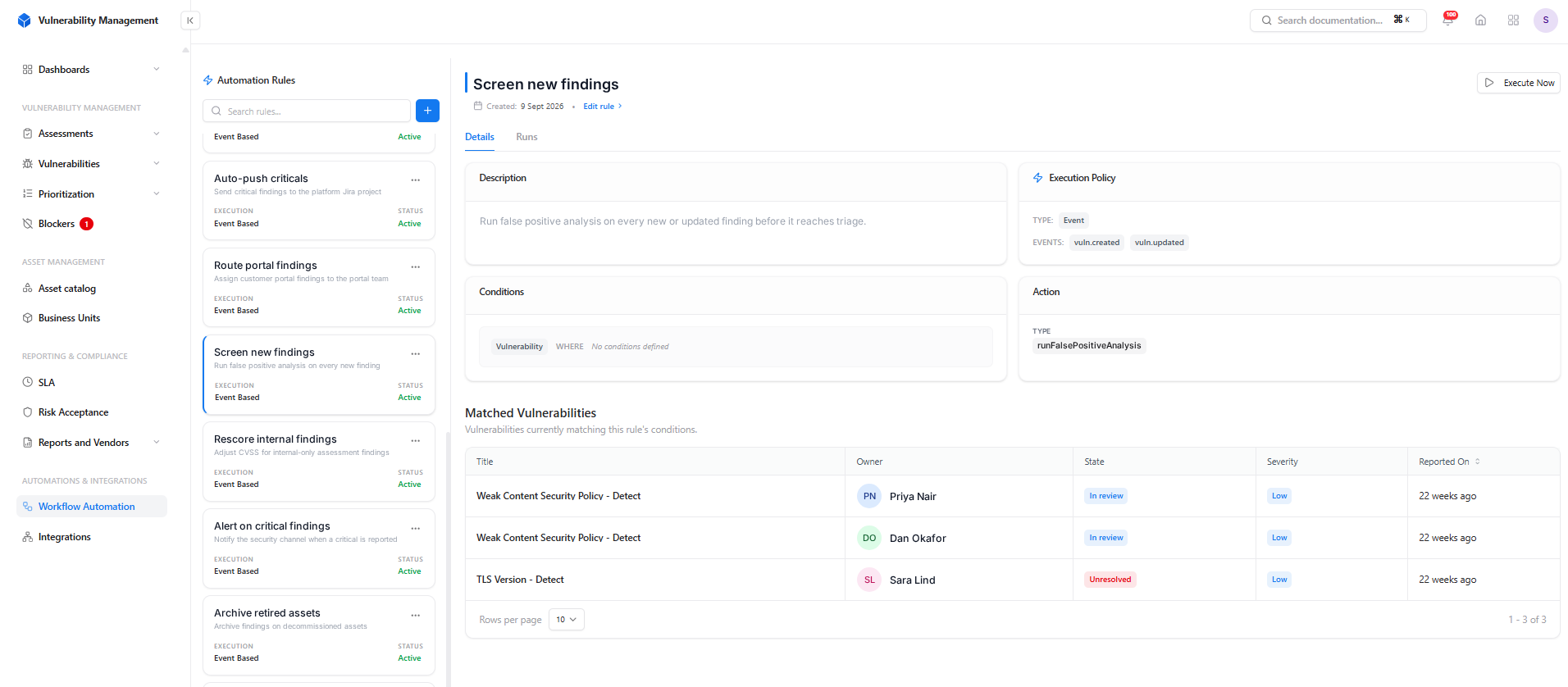
Each rule shows its trigger, conditions, action and the findings it currently matches.
Each rule in Snapsec VM shows its trigger, conditions and action, along with the findings it currently matches, so you can check a rule before relying on it. The run history shows what it has done, and a rule can be run on demand when you’re testing a change. It’s worth reviewing rules whenever an assessment ends or a team changes, rather than waiting for something to break.
Where to start
You don’t need fifty rules. Start with the five tasks your team repeats every day:
| Rule | Trigger | Action |
|---|---|---|
| Assign findings by assessment | Finding created | Change assignee |
| Send critical findings to Jira | Finding created or updated | Send to Jira |
| Screen every new finding | Finding created or updated | Run false positive analysis |
| Adjust internal-only findings | Finding created | Transform CVSS score |
| Alert on critical findings | Finding created | Alert a channel |
Once these are running, look at what your team still does by hand every week. That’s where the next rule should go.
Conclusion
The goal isn’t to automate vulnerability management end to end. It’s to remove the manual work between a pentest report and the start of remediation. Findings can be imported, routed, ticketed and screened without anyone touching them, while the decisions that depend on context stay with the security team.
Explore the Snapsec VM live demo to see how automation fits into the pentest workflow.
Frequently asked questions
Should false positives be closed automatically?
No. Automated analysis is useful for flagging likely false positives and explaining why, but a person should confirm each verdict before a finding is closed.
How many automation rules should we start with?
Around five, focused on the most repetitive tasks. A few narrow, well-understood rules are easier to check and maintain than many overlapping ones.
Can pentest findings go through the same rules as scanner findings?
Yes, as long as they’re in the same system. Once pentest findings are recorded alongside scanner results, the same routing, ticketing and alerting rules apply to both.
What’s the biggest risk with automation?
Rules that nobody reviews. Check what each rule matches when you create it, and revisit rules when assessments end or teams change.